How To Disable Right Click On your Blog
1. Sign in to your blogger account.
2. Go to 'page elements' page.
3. Click on 'add a page element'.
4. Click on HTML/Java script.
5. Copy and paste this code there and save changes.


Show comment box under post
If you are using blogger and want to show your comment box under your post for the convenience of your visitors than you have to follow these steps to do this:-
1. Login to you blogger account through blogger draft.
2. Go to 'settings' and click on 'coments'.
4. There you will see options for 'Comment form placement'.
5. Check the box whre this is written 'embed under posts'.
6.after this click on save settings.
you have done it!
1. Login to you blogger account through blogger draft.
2. Go to 'settings' and click on 'coments'.
4. There you will see options for 'Comment form placement'.
5. Check the box whre this is written 'embed under posts'.
6.after this click on save settings.
you have done it!
Get rid of blogger navbar

Many bloggers do not like the navbar to be displayed on their blog page but they have no option to delete it!
But there is a way to hide your blogger navbar. it is very simple.
Just follow these 5 steps :-
1. Sign in to your blogger account.
2. Click on layout and than 'edit HTML'.

3. copy this code :-
#navbar {
  height: 0px;
  visibility: hidden;
  display: none;
}
4. paste it at the position as shown below:

5. Save your template and you can see the magic you have made.
I want to tell you one thing that if you want your navbar again to be displayed than just delete the code which you have pasted.
Add Paypal Button To your blog
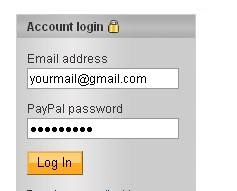
1. Log in to your paypal account.
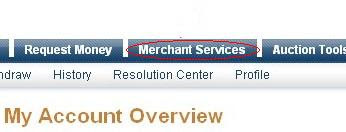
2. Then you have to click on ‘merchant services button which can be seen on the top of the page.
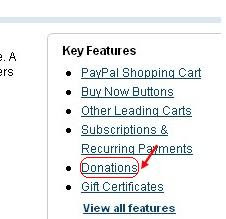
3. Now, you have click on ‘donations’ .
4. Now,you will see some options like Donation name/service ,donation id,etc etc...
The first field (Donation name/service) is the only thing that is required and all the remaining fields are optional.
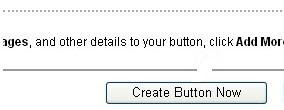
Enter that first field,choose a button style,scroll down the window and click on "Create a button Now"
5. Now you will be provided with an HTML code which you have to copy and paste in to your blog. You can do it by going to ‘page elements’ page of your blogger account and copy that HTML code anywhere you like.

2. Then you have to click on ‘merchant services button which can be seen on the top of the page.

3. Now, you have click on ‘donations’ .

4. Now,you will see some options like Donation name/service ,donation id,etc etc...
The first field (Donation name/service) is the only thing that is required and all the remaining fields are optional.
Enter that first field,choose a button style,scroll down the window and click on "Create a button Now"

5. Now you will be provided with an HTML code which you have to copy and paste in to your blog. You can do it by going to ‘page elements’ page of your blogger account and copy that HTML code anywhere you like.
Subscribe to:
Posts (Atom)